
Creating a class
A template is a basic source code of a class. It contains the standard program header, general properties and a workpiece for the class: class definition, a workpiece for public and private methods, constructor and destructor. When creating a class, you can specify its basic class which is also appropriately formatted in the template. The template is created in the MQL5/Include (or MQL4/Include) directory.
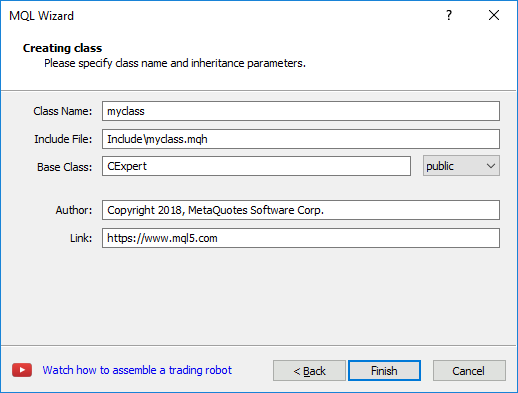
Fill in the following fields:
- Class Name – name for a created class.
- Include File – name of an mqh file to be created for describing a class, as well as the path to it, relative to /MQL5 (/MQL4) folder.
- Base Class – if a created class is to be inherited from another one, specify this in the field. Next, select the inheritance type from the base class.
- Author – author name.
- Link – developer's email address or website.
Depending on the conditions of MQL4/MQL5 Wizard launch, the appropriate path is automatically substituted in the MQH file:
|
Click Finish to complete template creation. A generated file is immediately opened for editing.